Just say it
"Lunch with a client, 1,800 yen." The AI chat reads the sentence, picks the category, and books the transaction.
Budget 66 logs spending the moment it happens: by chat, by voice, from a receipt photo, or automatically after an Apple Pay tap. Then it tells you exactly what's left for the month.
Free to use. iPhone, iOS 16.4 or later.
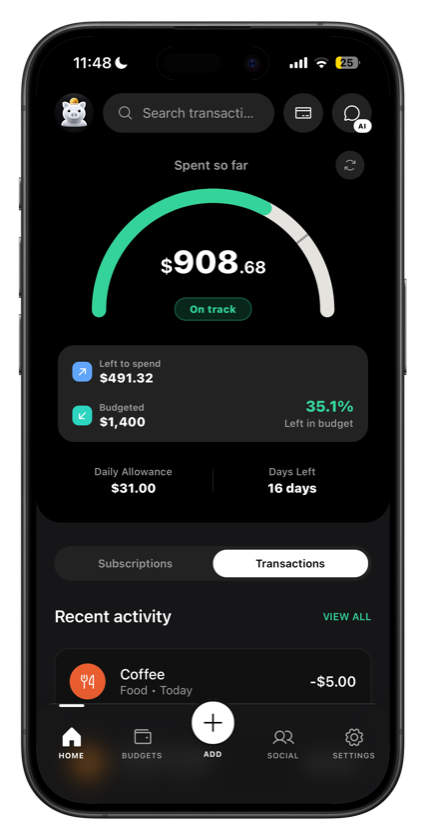
Screenshot slot
home.png
Home screen showing spent so far and left to spend
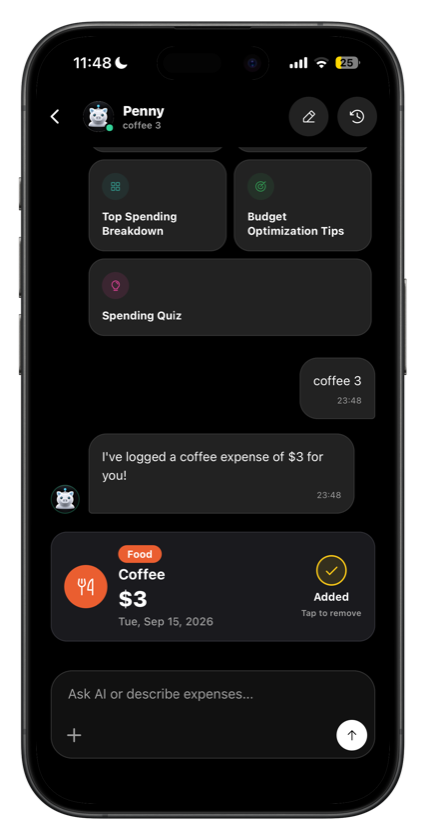
Screenshot slot
chat.png
AI chat logging an expense from a sentence
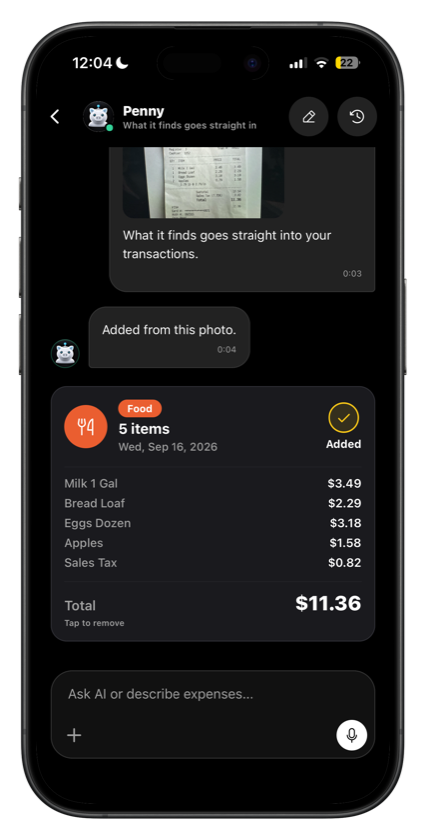
Screenshot slot
scan.png
Receipt photo turned into a transaction
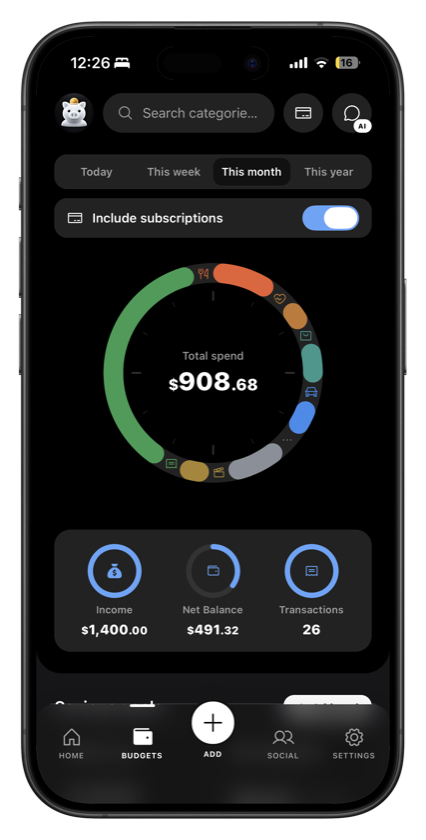
Screenshot slot
budgets.png
Category budgets with progress rings
Most budgeting apps die at the data-entry step. Budget 66 gives you five ways to get a transaction in, and one of them needs no effort at all.
"Lunch with a client, 1,800 yen." The AI chat reads the sentence, picks the category, and books the transaction.
Hold the mic and talk. Same chat, same result, useful when you're walking out of the shop.
Point the camera at a receipt or a payment screenshot. Items are recognised and added for you.
A one-time Shortcuts automation catches every Apple Pay tap. A notification asks the category, and one tap files it.
The plain form is still there: amount, category, note, date. Two seconds, no AI involved.
Add a recurring charge once and it books itself every cycle, with the renewal dates always visible.
Set up one Shortcuts automation on Wallet and every tap-to-pay purchase reaches Budget 66 on its own. No bank connection, no screen-scraping, no credentials to hand over.

Screenshot slot
automation.png
Tap-to-pay automation setup screen
Groups for the trip, the flatshare, the dinner. Everyone's share is tracked in the currency it was actually spent in, and the balance sits on your home screen until it's cleared.

Screenshot slot
groups.png
Group split view with balances
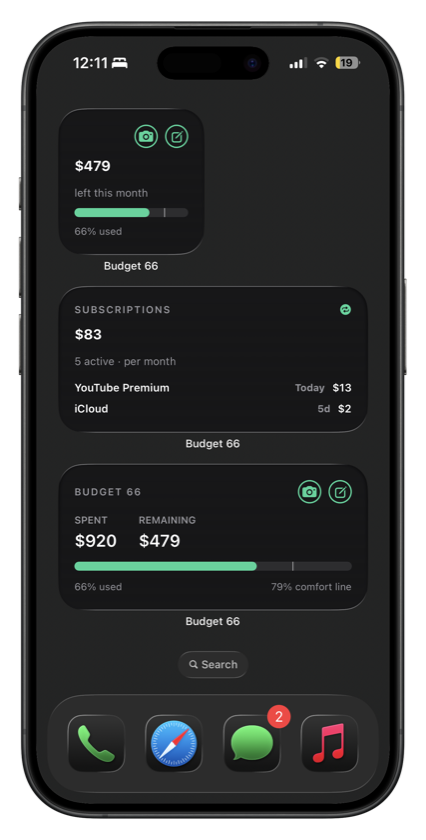
Three widgets in every size. Spent so far, left to spend, the daily allowance that keeps you inside the month, your renewals, and how this month compares to the last one.
Screenshot slot
widgets.png
Home Screen widgets in three sizes
Every plan tracks unlimited categories and budgets. What you're paying for is AI capacity, group count, and no ads.
Budget 66 v1.2.2 is on TestFlight while it works its way to the App Store. Bugs and feature requests come straight to me.